Delete Your Account
If you wish to permanently delete your Tremley account, follow these steps:
1. Open the Compte (Account) section in the app.
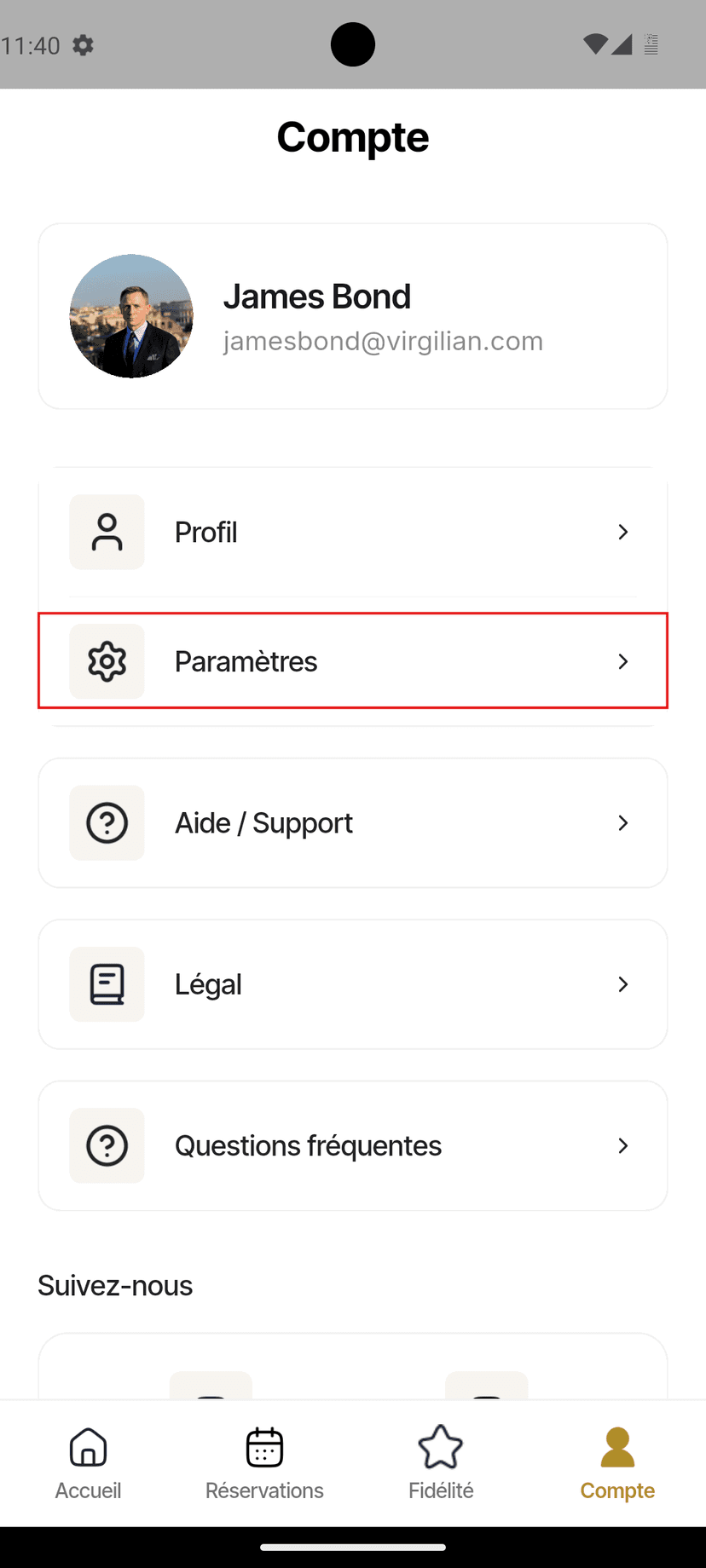
2. Tap Paramètres (Settings).
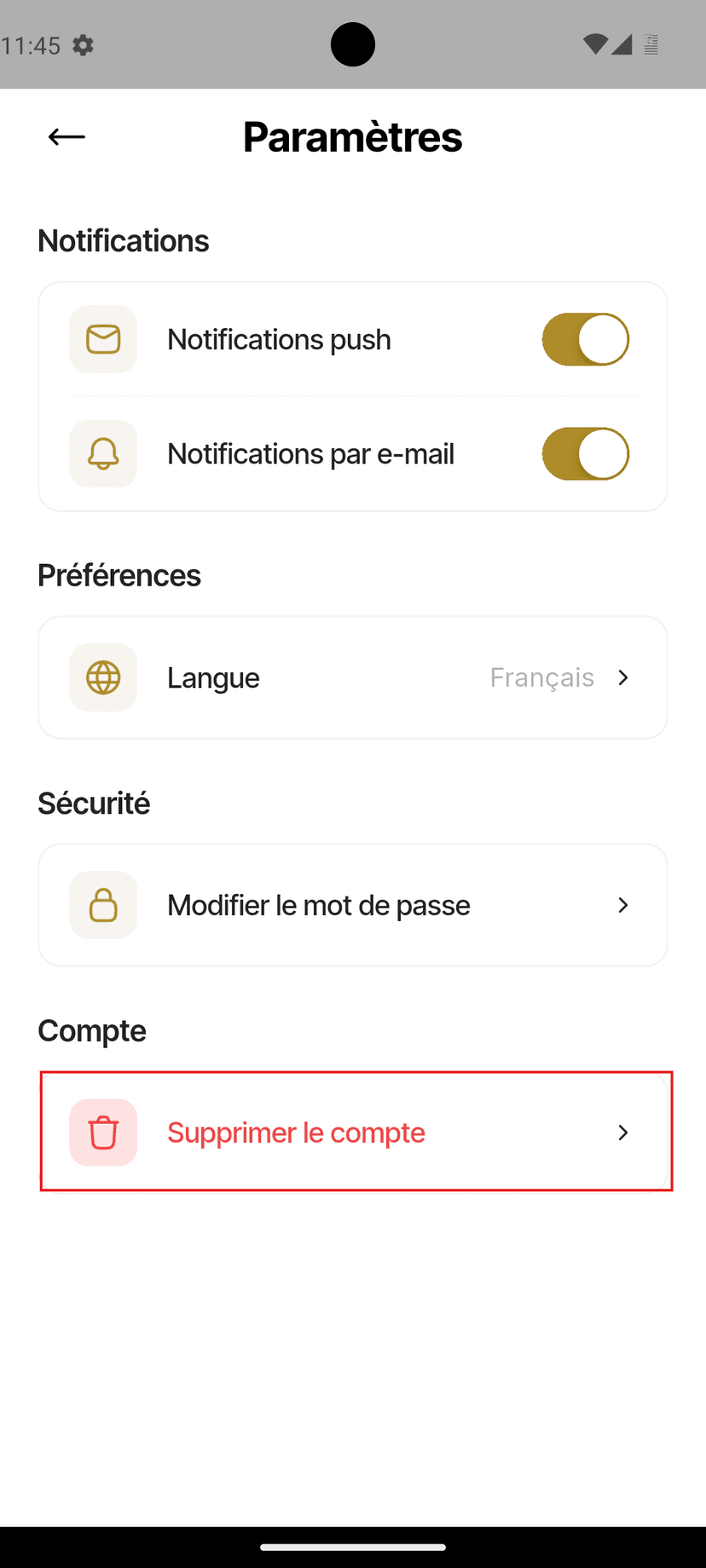
3. Select Supprimer le compte (Delete Account).
4. A confirmation pop-up will appear.
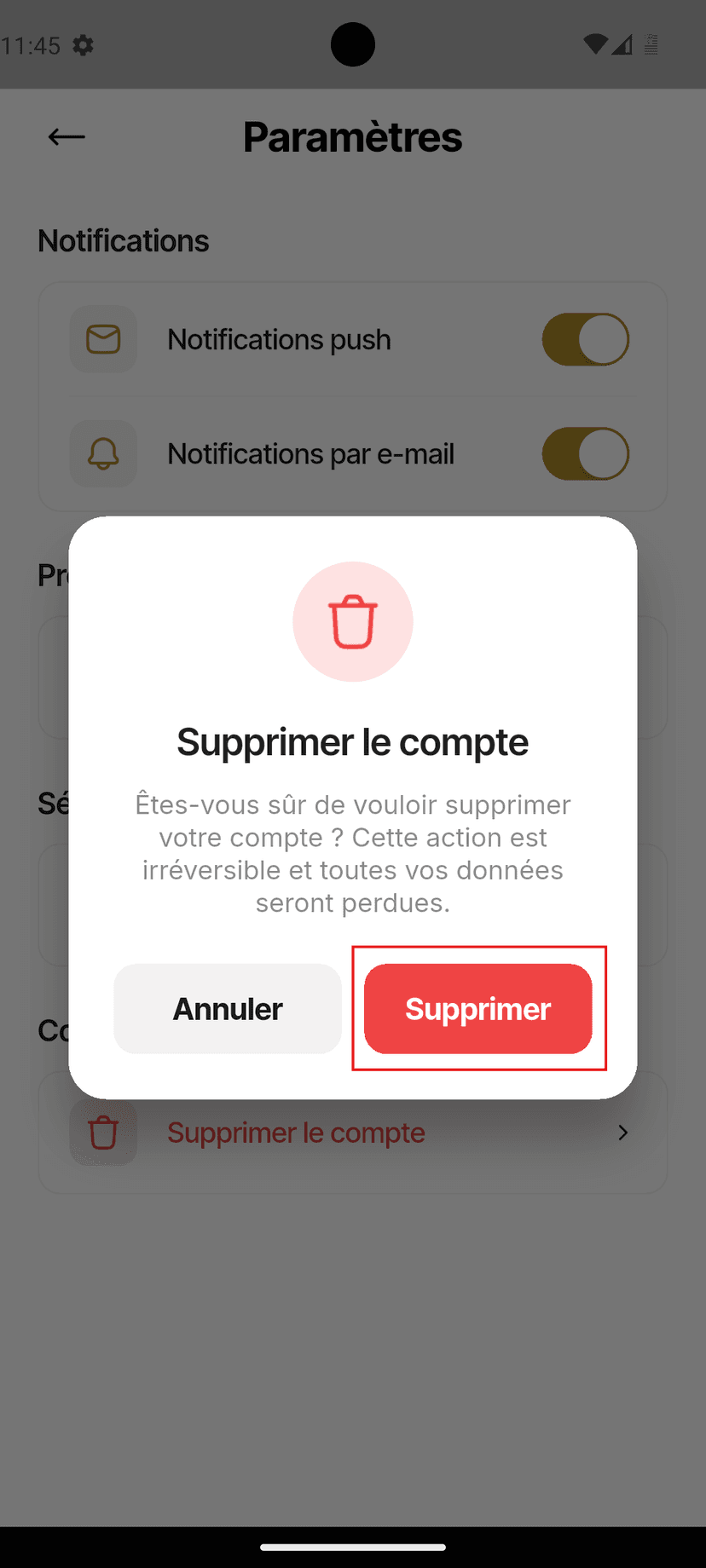
5. Tap Supprimer (Delete) to permanently delete your account.
Note: Deleting your account is permanent and cannot be undone. All associated account data will be removed according to our data retention policy.